Framework with hidden dependencies
When developing a framework other developers will use, we may need to include another framework to ours as a dependency. If we use the included framework just for the implementation details, we don't want it to be visible (re-export) to the developers that integrate our framework in their app.
That's why we need to find a way to “hide” internal dependencies from the clients of our framework. This is something that is being discussed over Swift Forums, and currently it's partly implemented, but Apple does not officially support it. It may introduce breaking changes in future versions of Swift.
How to follow up
We have three separate pieces that we will mention through the article.
- Framework that we are developing for the clients — OurFramework
- Framework that we are including in our framework as dependency — FrameworkA
- Client's app that integrates our framework — ClientApp
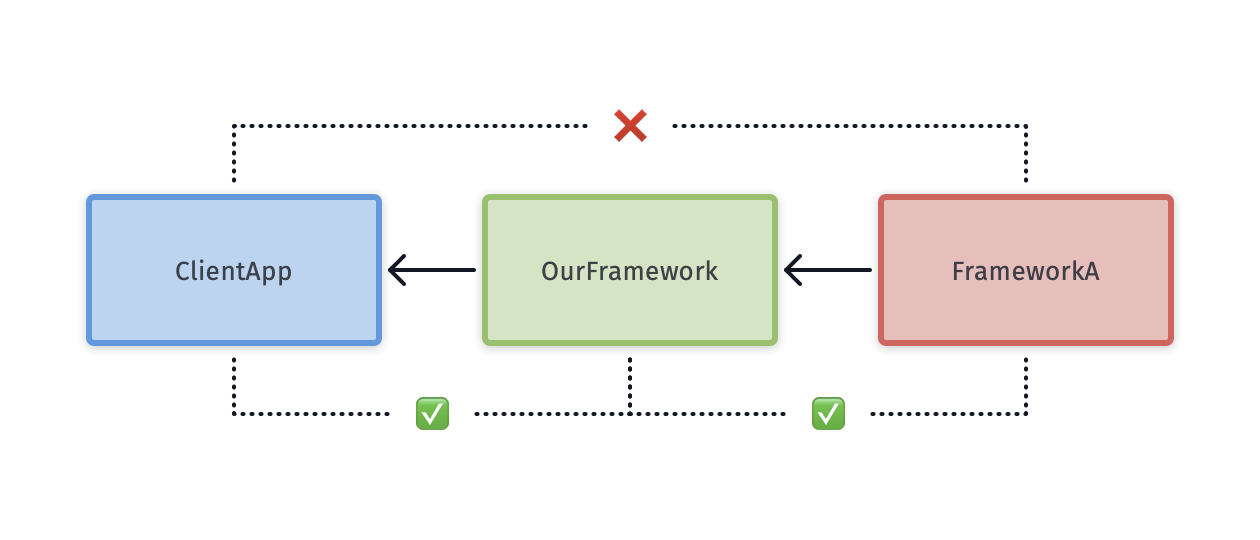
Integrate FrameworkA
We will do it manually with no dependency manager to make it transparent what we are doing.
- Drag and drop FrameworkA.xcframework to the OurFramework project
- import FrameworkA somewhere in OurFramework code
And that would be it, right? Well, not exactly, let's export OurFramework.xcframework and try to use it from the test project. Xcode won't build the test project because it fails with the following error.
Failed to build module 'OurFramework' from its module interface; it may have been damaged, or it may have triggered a bug in the Swift compiler when it was produced
Failed to build module
- Click on OurFramework in folder structure in Xcode.
- Select Build Settings tab.
- Set Framework Search Paths to the directory where FrameworkA.xcframework is located.
- Export OurFramework.xcframework again and add it to the test project.
This time there are no errors and the project builds. But the problem is that now we can import included FrameworkA as well, which may not be behavior that we want.
Framework visibility
⚠️ As already mentioned in introduction, this is not fully supported by Apple and may be buggy as stated in https://forums.swift.org/t/update-on-implementation-only-imports/26996.
If we want to hide the framework that is included in your framework as dependency for whatever reason we need to import the included framework differently. Instead of standard import FrameworkA we need to use @_implementationOnly import FrameworkA.
- Add @_implementationOnly annotation to the imports of FrameworkA.
// MyFramework.swift
@_implementaitonOnly import DependencyFramework
- Export OurFramework.
- Add OurFramework to the test project.
Now if we try import FrameworkA in the test project, Xcode will throw an error that it can't find the module FrameworkA.
By using @_implementationOnly import, FrameworkA won't be added to the swiftinterface file.
Quote from Harlan Haskins from Swift forums post.
Limitations
- Public API of OurFramework can't use any API from FrameworkA — enforced by the compiler.
- Public types of OurFramework can't conform to the protocols of FrameworkA — enforced by the compiler.
- If the public type of OurFramework overrides type from FrameworkA, we must use @_implementationOnly annotation on that public type as well.
- @testable import MyFramework can be buggy because it does not include OurFramework as it would normally do without @_implementationOnly.